Most WordPress sites don’t have a traffic problem. They have a topic problem. If your “AI SEO WordPress” plan is just publishing more posts with slightly different keywords, you’re building a busy archive, not topical authority. The faster move is to build one clear content cluster around a subject you actually want to own, then use AI to speed up the boring parts without letting it make the editorial calls.
📋 In this article:
- What topical authority means on WordPress when AI is doing part of the writing
- Where most AI SEO for WordPress plans fall apart
- The cluster map that actually works on a WordPress site
- AI SEO for WordPress: what AI should do, and what it should never do
- The WordPress stack for content clusters: plugins, themes, and SEO plumbing
- How to build the first cluster without creating a content junk drawer
- Measuring whether topical authority is actually happening
- What to do this week if you want the cluster to move
What topical authority means on WordPress when AI is doing part of the writing
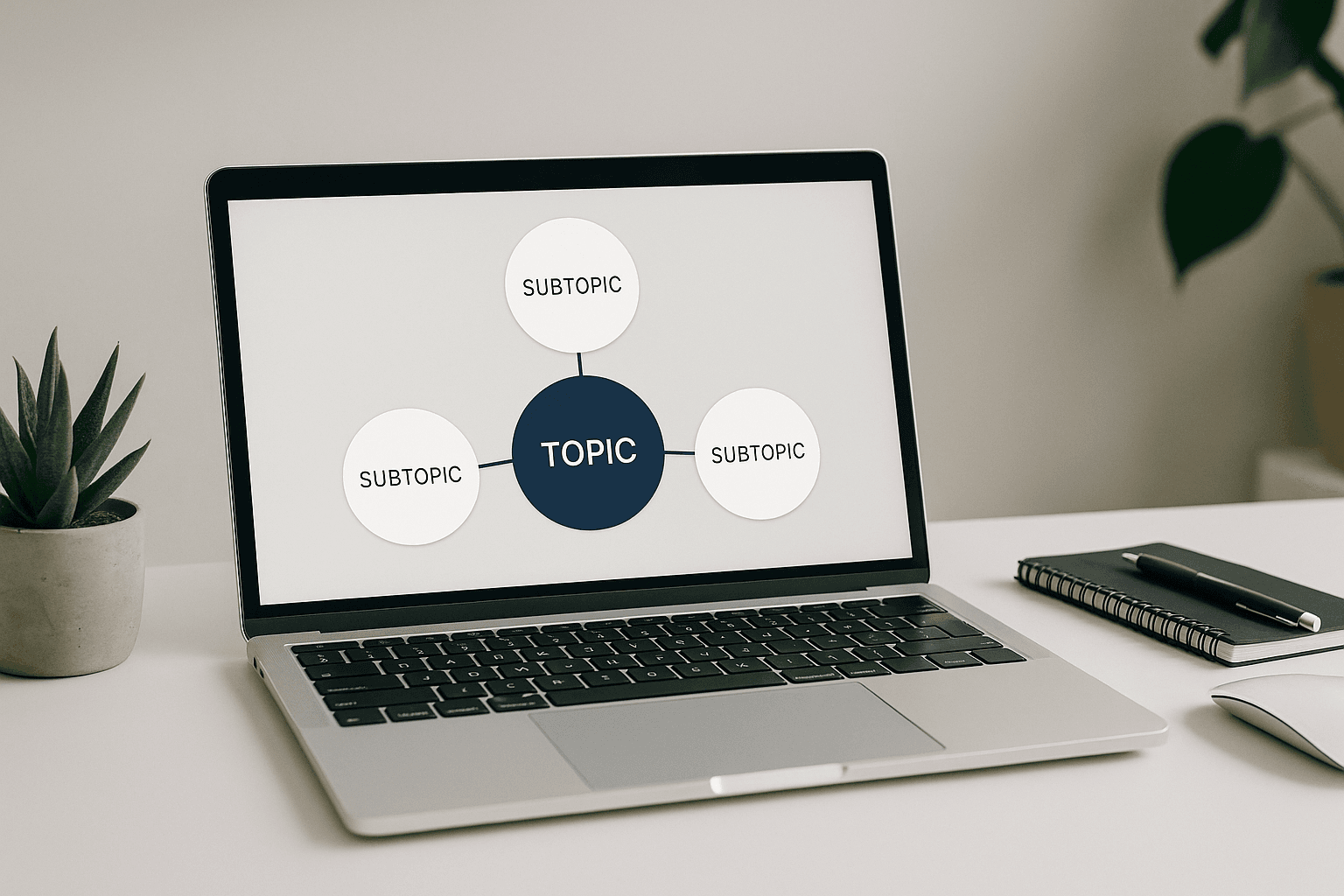
Topical authority on WordPress comes from showing a search engine that your site covers a subject from multiple angles, in a consistent structure, with enough depth that one page supports the next. That usually means a pillar page plus a set of supporting posts, all tied together with internal links and clean intent matching. AI fits into that workflow as a drafting tool. It doesn’t get to decide what your site stands for. For a deeper look at that side of it, see Best AI WordPress Plugins…. For the broader context, AI SEO for WordPress in 2026:… ties all of this together.
That distinction matters. Search engines seem to reward coverage, clarity, and internal logic more than raw publishing volume. A site with ten connected pages about one topic usually looks more credible than a site with fifty random posts that happen to share the same root keyword. WordPress is a good fit because it already gives you categories, tags, menus, taxonomies, and plugin-level control over metadata and schema. The mistake is treating those tools like decoration instead of architecture.
AI can help you move faster on outlines, title variations, FAQ ideas, and refreshes. It should not invent your strategy. If you ask ChatGPT or Claude to spit out “50 SEO articles,” you may get content. You will not get a topical map.
Where most AI SEO for WordPress plans fall apart
The failure mode is painfully common: the site publishes faster, but not smarter. The articles are different enough to avoid an obvious duplicate filter, yet close enough to feel like cousins nobody invited. One post targets a keyword, another targets a slight variation, and a third says almost the same thing with a different intro. Search engines are not impressed by repetition wearing a new hat.
AI exposes weak information architecture quickly because it makes production cheap. That sounds helpful until your category structure turns into a junk drawer. Tag archives get bloated with near-empty pages. Author pages are left untouched. Category pages become a pile of linked posts without a real point of view. Then site owners blame the model, when the model mostly revealed the mess they already had.
“More articles” can absolutely become a thin-content penalty waiting to happen. I’ve seen sites publish themselves into irrelevance by automating too much of the wrong layer: autogenerated tags, overbuilt archive pages, and category pages that exist because the theme shipped with them. If your taxonomy doesn’t help users move through a subject, it’s just another indexable surface area begging for trouble.
WordPress makes this easy to do badly because it’s so flexible. That flexibility is useful only when you decide what should be public, what should be internal only, and what should never be indexed at all.
The cluster map that actually works on a WordPress site
The practical structure is simple: one pillar page for the main topic, then supporting articles that answer the sub-questions people ask before or after they land on the pillar. The pillar should be broad enough to matter and narrow enough to finish. Supporting posts should each have one job. If you can’t explain the purpose of a post in one sentence, it probably belongs in your research folder, not in production.
Choosing one pillar topic instead of five half-topics
Pick one topic with enough commercial or informational weight to deserve a hub. For an affiliate site, that might be “best air purifier for allergies” or “how to choose managed WordPress hosting.” For an agency site, it might be “WordPress maintenance for small businesses.” The point is focus. Five weak pillars will always underperform one strong one because none of them earns enough internal support.
A good pillar topic has obvious sub-questions attached to it. You want room for comparisons, how-to pieces, troubleshooting posts, beginner explainers, and update articles. If the topic only yields two decent follow-ups, it’s too small for a cluster. For a deeper look at that side of it, see AI WordPress SEO mistakes….
Mapping supporting articles by search intent, not just keywords
This is where AI can save time without making bad decisions for you. Ask it for intent buckets: informational, commercial investigation, troubleshooting, and comparison. Then build supporting posts around those buckets instead of around keyword permutations alone. “Best X for Y,” “X vs Y,” “How to do X,” and “Why X fails” are different pages for a reason.
A cluster around WordPress SEO might include a pillar on AI SEO for WordPress, then supporting pieces on meta descriptions, schema markup, internal linking, content refreshes, and quality control. That structure gives search engines a clean map of what the site knows. It also helps readers move naturally from one article to the next without feeling trapped inside the same article in different clothing.
How many cluster posts is enough before you publish
Enough is when the cluster feels complete from the user’s point of view. That may be six posts or twelve, depending on the topic width. Don’t wait for a magical number. Publish once the pillar has enough support to stand on its own and the first round of supporting posts answers the obvious adjacent questions.
What if the cluster still feels thin? Then it probably is thin, and it should wait. The internet has enough half-finished topic hubs already.
If you’re using an automation tool here, keep the order deliberate. Tools like MrNiche Autoblogger Pro can queue cluster content and handle the publishing side while you control the outline set and internal linking pattern. That only helps if you already know which pages deserve to exist.
AI SEO for WordPress: what AI should do, and what it should never do
AI is useful for outlining, keyword expansion, meta drafts, schema suggestions, content variations, and first-pass internal link ideas. It’s also good at turning one decent brief into three better ones faster than most humans want to admit. Where it fails is strategy. It doesn’t know whether your site should own “site speed,” “WooCommerce SEO,” or “WordPress hosting reviews” unless you tell it what business model you’re actually running.
Use ChatGPT or Claude for structure and alternatives. Use Frase or Surfer SEO when you want SERP-informed content planning without staring at fifty tabs like it’s 2018 again. AI Engine is handy inside WordPress when you want some of that drafting flow closer to the dashboard. None of these tools should decide whether you’re building a support article, a money page, or a page that should never be public at all.
The same goes for claims. AI can suggest wording; it cannot tell you whether something is worth saying or defensible in print. If it fills a paragraph with confident fluff because the prompt was vague, that’s not a model problem so much as an editorial one.
The WordPress stack for content clusters: plugins, themes, and SEO plumbing
You do not need to rebuild your whole site to do this well. You need stable metadata handling, sane templates, and internal links that don’t depend on memory. Yoast SEO, Rank Math, and AIOSEO all give you enough control to manage titles, descriptions, canonical signals, and schema without custom code on every post. Pick one and stop comparing dashboards like they’re collector cards.
If your layout is inconsistent, use Elementor sparingly or switch to a lightweight theme that keeps pillar pages readable and supporting posts visually consistent. The goal is not design theater. The goal is to make it easy for humans and crawlers to understand what belongs together.
Internal linking and schema support
Internal linking is the grease in the machine. A pillar page should link out to supporting posts from relevant sections, and those supporting posts should link back to the pillar plus a couple of siblings where it makes sense. That creates context without turning every paragraph into a link farm.
Schema matters too, but keep it practical. Article and FAQPage schema are usually enough for this workflow unless you have product or review content that calls for something more specific. JSON-LD emitted via wp_head is useful because it survives content stripping better than markup pasted into the body.
Templates for pillar pages and supporting posts
Use templates so every pillar page doesn’t have to be reinvented from scratch. A solid pillar template might include an intro, a table of contents, subtopic sections, recommended next reads, and an FAQ block at the end if it’s actually useful. Supporting post templates can stay tighter: problem statement, answer, example, related internal links.
The value of templates is consistency. The risk is sameness. If every article opens with the same cadence and closes with the same stock phrasing, readers notice faster than you think.
Where AI-generated metadata helps and where it gets lazy fast
AI-generated titles and meta descriptions are fine when they’re checked by someone who knows the page’s purpose. They’re lazy when they just repeat the focus keyword with different adjectives. Yoast SEO and Rank Math can accept injected metadata automatically; that saves time. It does not save weak positioning.
The same rule applies to schema suggestions and FAQ blocks. Good metadata supports the page. Bad metadata reads like somebody asked an LLM to fill in blanks before coffee.
How to build the first cluster without creating a content junk drawer
Start with one money topic or one business-critical topic you already know has demand. Define who you’re writing for and what problem they’re trying to solve first. Then draft the pillar outline before touching supporting posts. That sounds basic because it is basic, which is exactly why people skip it and regret it later.
Once the pillar outline exists, ask AI for supporting angle ideas by intent: comparisons, how-tos, mistakes to avoid, tool choices, setup guides, refresh guides. Sort those ideas manually into an order that makes sense for readers learning the topic from scratch. Publish the pillar first if it’s strong enough; otherwise publish two or three core supports alongside it so the cluster doesn’t land half-built.
The editorial rule here is simple: if the first cluster doesn’t read like a miniature library on one subject, it isn’t ready yet.
After publication, connect everything immediately with internal links rather than waiting until “later.” Later usually means never.
Use AI again for briefs when new pages need to slot into the cluster or when an older post needs a refresh. A refresh is often safer than publishing another nearly identical article just because there’s spare keyword demand in Search Console.
Measuring whether topical authority is actually happening
You don’t need heroic analytics work here. Search Console will usually tell you whether Google is starting to connect your pages around related queries. Watch for impressions spreading across long-tail variants tied to the same subject and for more than one page showing up around related searches instead of only the pillar doing all the work.
On-site behavior matters too. If readers move from the pillar into supporting posts and keep going through the cluster instead of bouncing back out immediately, that’s useful signal even if it doesn’t show up as some dramatic chart spike tomorrow morning.
What to track in Search Console
Look at queries by page and page by query. It sounds dull because it is dull, and that’s fine. You want related pages pulling impressions across semantically close searches, not each post sitting off on its own. If every new page sits untouched while one URL gets all the visibility, the cluster isn’t really functioning yet.
If you already have Google Search Console integration wired into your workflow, use it to spot topics Google has already shown demand for but you haven’t covered properly yet. That’s a lot cleaner than trusting gut feeling alone.
How internal links change the picture
A decent internal link network changes crawl paths and makes priority clearer. It also stops older posts from acting like dead ends. When your pillar links out to supporting posts and those supports link back in predictable ways, Google has less work figuring out what matters most on the site.
Optional reverse linking from older posts into newer relevant ones can help too, especially if your archive already has authority trapped in isolated URLs.
When to refresh, merge, or delete cluster posts
Refresh when the page still matches intent but needs better structure or fresher examples. Merge when two posts answer almost the same question and neither deserves to stay separate. Delete when a post has no clear role in the cluster and no realistic path back into usefulness. (More on this in AI WordPress plugin for….)
This part stings because site owners get attached to content they paid for or published under pressure. Sentiment doesn’t rank.
What to do this week if you want the cluster to move
Pick one topic this week and treat it like the only thing your site cares about for five days straight. Write the pillar outline first, then list five supporting posts that answer adjacent questions users actually ask before buying or deciding anything. Don’t chase breadth yet; get one complete cluster mapped cleanly enough that every page has a job and every link makes sense.
If you want AI-assisted content clusters to earn actual topical authority on WordPress instead of producing another pile of interchangeable articles, start with that single map and build one cluster fully before you publish anything else.