I’ve seen a brand-new autoblog site go sideways before the first real article even had a chance to rank. The culprit wasn’t the AI model; it was a sloppy setup, a shared host that choked on scheduled imports, and a content plan broad enough to make a supermarket jealous.
Contents
- What a WordPress autoblog really is, and what it is not
- Hosting and WordPress setup that won’t buckle under automation
- Choosing a WordPress autoblog plugin without buying a future headache
- Category architecture that keeps automation from turning into junk drawer SEO
- Prompt and style setup that keeps AI writing on the rails
- The review workflow that separates a site from a content firehose
- Scheduling cadence, source limits, and the hidden cost of publishing too much
- Monitoring an autoblog after launch: the signals worth watching
- The practical setup order I’d use on a new autoblog
Setting up a WordPress autoblog the right way starts with a boring truth: automation only works when the site already has rules. If you want a WordPress autoblog that lasts, you need restraint, a narrow topic, decent hosting, and a review step before anything goes live. Skip that part and you don’t get an “AI content site.” You get a fast way to publish junk with better formatting. (More on this in Best AI WordPress Plugins….)
What a WordPress autoblog really is, and what it is not
A WordPress autoblog is an automated publishing workflow. That’s the useful definition. It can pull in source material, draft new posts from prompts, queue articles for review, and publish on a schedule. It can also do all of that badly, which is how people end up with a site full of thin pages that read like they were assembled during a power outage.
The cleanest setups usually fall into four buckets. Curated automation means you choose sources or titles first and let the system handle the repetitive work after that. Full auto-publishing means posts go live with little or no human approval, which is where most bad decisions begin. RSS or content aggregation pulls in existing feeds, which can be fine for news-style sites but gets risky fast if you’re just republishing other people’s material with lighter makeup. AI-assisted drafting with human review is the version I trust most, because it treats the machine like an assistant instead of an editor-in-chief.
My own view is that full auto-publishing gets romanticized far too much. Most site owners do not need less control; they need better filters.
The main risk is simple: thin content, duplicate intent, and a site architecture that looks like it was built by someone speed-running SEO. Search engines can tolerate occasional mediocrity. They’re much less interested in an entire domain built around it.
Hosting and WordPress setup that won’t buckle under automation
If your host struggles with ordinary WordPress traffic, it will hate autoblogging. Imports, draft generation, image fetching, and scheduled publishing tend to arrive in bursts. That means you want decent PHP and MySQL performance, reliable cron handling, and backups that actually restore when you need them. Cheap shared hosting can work for tiny experiments, but it’s a bad place to build a site that depends on background jobs behaving themselves. Best WordPress Plugins for Autoblogging Without Breaking Your Site walks through this part step by step.
SiteGround, Cloudways, Kinsta, and WP Engine are the kind of environments that usually behave better because they’re built for more consistent WordPress workloads. That doesn’t mean they magically fix bad automation. It does mean fewer weird failures when multiple queued articles hit the site at once. Staging matters too. Test your first automation runs somewhere private before they touch the live domain. No one wants their homepage filled with half-finished AI sludge because a cron job got enthusiastic. For the hands-on side of this, How to Avoid Duplicate Content and Thin Content Penalties has the specifics.
If the host only gives you WP-Cron and traffic is tiny, expect schedule drift.
You should also check how cron is handled. If your setup relies entirely on WP-Cron and traffic is low, scheduled tasks can drift. If the host lets you configure real server cron or gives you predictable background execution, use it. This is the unglamorous part of setting up a WordPress autoblog plugin workflow correctly, which is probably why so many people skip it and then act surprised later. Common WordPress Automation Mistakes… covers this in more depth.
Choosing a WordPress autoblog plugin without buying a future headache
Buy for workflow, not for screenshots. The things worth comparing are source types, scheduling controls, content filtering, draft-versus-publish rules, image handling, category mapping, and whether the plugin fits your editorial process. RSS importers make sense when you want to aggregate feeds or remix structured sources. AI drafting tools are better when you want original posts generated from titles or prompts. Hybrid systems do both, which is often the practical middle ground for site owners who want automation without handing over the steering wheel.
This is where tools like MrNiche Autoblogger Pro fit naturally in the conversation: it handles background queueing and pre-publish workflow automatically, but the real question is whether the system matches your standards. Some plugins are fine for “publish anything fast” sites. That’s not the same as running a site you actually want to keep.
If a plugin can’t hold drafts, filter duplicates, map categories cleanly, and play nicely with review before publish, it’s going to create more work than it saves. That’s the test. Good automation disappears into the workflow. Bad automation becomes a second job.
Category architecture that keeps automation from turning into junk drawer SEO
Build the category structure before you import anything. If you wait until after the queue is full, you’ll start inventing categories out of panic, and that’s how a site gets fifteen near-identical archives with names like “guides,” “guide,” “how-to,” and “misc.” Topic clusters work because they give each article a job. Tag spam does not.
A narrow autoblog topic usually performs better than a site trying to cover every loosely related keyword under the sun. A single parent category with tightly related subtopics gives readers a path through the site and gives internal links somewhere sensible to land. It also makes future expansion easier because you know what belongs and what doesn’t.
One topic, one intent, one parent category
Start with one main topic and define what problem the site solves. If your autoblog is about hiking gear reviews, keep it about hiking gear reviews. Don’t drift into camping recipes because Ahrefs started whispering sweet nothings at 2 a.m. One parent category plus a few disciplined child categories is enough for most small and mid-sized sites. That structure helps both humans and crawlers understand what the site is for. The narrower question here has a dedicated piece — How to Choose Safe Content Sources for an Autoblog.
When tags help and when they become clutter
Tags are useful when they connect related posts that don’t fit neatly inside one category. They become clutter when every article gets six random labels just because the interface allows it. Keep them tightly controlled. A tag archive with two posts is usually an accident wearing a label.
Prompt and style setup that keeps AI writing on the rails
The prompt is where most autoblogs quietly succeed or fail. Vague instructions produce generic copy. Specific instructions produce usable drafts. Tell the model who the audience is, how deep each article should go, what tone to use, what to avoid, and what kinds of examples fit the site. If your content angle is practical WordPress setup advice for agency owners, say that directly.
Don’t ask for “engaging content” and expect miracles.
I’d rather see a plain prompt that names the site’s purpose than an elaborate prompt full of theatrics. ChatGPT and Claude both do fine when the brief is clear. Model choice matters less than most people think until quality drops or hallucinations start creeping in. If you’re comparing GPT-5.4 or GPT-5.5 against cheaper options, treat that as a quality-control decision rather than some mystical upgrade path.
Set length targets too. An autoblog works best when every article lands in roughly the same range and serves one intent cleanly. That consistency matters more than trying to make every post sound “creative.” Creativity is overrated in SEO content anyway; clarity pays the bills.
The review workflow that separates a site from a content firehose
Automation should remove repetitive work, not remove judgment. Every draft needs a checkpoint before publish: factual review, title sanity check, format check, internal link check, and SEO cleanup if needed. A good workflow catches obvious hallucinations and weird phrasing before Google or your readers do it for you. For a deeper look at that side of it, see WordPress Autoblogging in 2026:….
What gets checked before publish
I want to see accuracy first. Then originality of angle, structure, formatting, and whether the article actually answers the searcher’s question. If the post includes meta data fields, check those too. Yoast SEO, Rank Math, and AIOSEO all make it easy to end up with something serviceable if you feed them clean inputs. We break this down further in How to Set Up RSS Feeds and Content Imports in WordPress.
What gets rejected outright
Thin drafts get rejected. Duplicate intent gets rejected. Broken source material gets rejected. Anything that would embarrass the site owner if a customer read it gets rejected too. That sounds harsh only if you’ve never had to clean up after your own bad automation decisions.
Scheduling cadence, source limits, and the hidden cost of publishing too much
The temptation with any autoblog WordPress setup is to publish aggressively because you can. That’s usually where people sabotage themselves. Newer domains especially do better with a modest cadence than with daily flooding. If your queue starts pushing out too much too quickly, you get redundancy, weaker pages, and more cleanup later.
Source limits matter as much as post volume if you’re pulling from RSS feeds or multiple external sources. Too many similar source items create overlap fast. Search engines do not award extra points for being first to publish five slightly different versions of the same idea.
A steady schedule also makes quality control easier. You can review what’s coming next instead of reacting to everything after it has already gone live. More posts do not automatically mean more traffic. Sometimes they just mean more mess. What Is a WordPress Autoblog and How Does It Work? takes this thread and follows it properly.
Monitoring an autoblog after launch: the signals worth watching
After launch, watch indexing first. If pages aren’t getting crawled or indexed in a reasonable way, that’s often an architecture problem or a quality problem rather than an SEO plugin problem. Google Search Console tells you far more than gut instinct does here. If your query data shows impressions for closely related terms, that’s useful feedback on what Google already understands about the site.
You should also watch category growth and archive pages. If those pages become bloated or obviously redundant, trim them back before they drag down crawl quality. Analytics can help too if you track bounce patterns or page engagement, but don’t worship them like they’re sacred tablets from Mount Dashboard. The narrower question here has a dedicated piece — Can You Monetize an Autoblog Without Hurting SEO?.
Signs the setup is working
Consistent indexing is a good sign. So are sane archive pages, articles landing in the right categories, and search queries matching the topic you intended to cover. If your internal links are building paths between related posts naturally, that’s another green flag.
Signs something is off
If indexing stalls, category pages fill with duplicates, or search queries start drifting into unrelated territory, something upstream needs fixing. The problem might be source selection, prompt quality, category structure, or publish frequency. Usually it’s more than one thing at once because websites enjoy collaborating on misery.
The practical setup order I’d use on a new autoblog
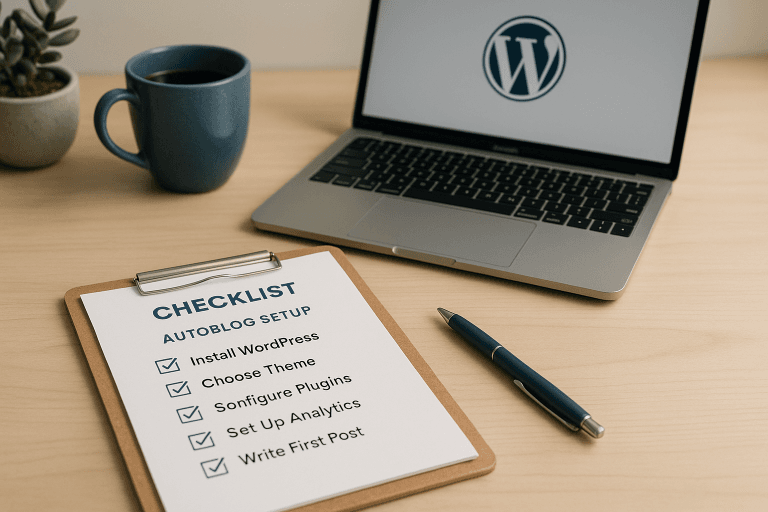
If I were setting up a fresh WordPress autoblog this week, I’d do it in this order: pick one topic with enough depth to support dozens of articles; choose stable hosting; install WordPress on staging; configure categories before any imports; set up SEO basics in Yoast SEO or Rank Math; write one prompt template that matches the site voice; run a small batch in draft mode; review every output; then turn on scheduling slowly.
I’d also watch for duplicate topics before building out too far. A lot of autoblogs die because they spend their first month publishing variations of the same three ideas while pretending volume equals strategy.
If you want one concrete next step this week, build the staging version of your WordPress autoblog, write one prompt template for just five titles, and run them through draft-only publishing before anything touches the live domain.