If you’ve ever seen a site quietly publish 20 pages in a week and wondered whether the owner has a secret content team, there’s a decent chance it was running a WordPress autoblog. A WordPress autoblog is a site that pulls in or generates posts automatically, then publishes them on a schedule with little or no manual drafting. That can be useful, lazy, dangerous, or all three at once, depending on how it’s set up.
In this article
- What a WordPress autoblog actually is, and what it is not
- How a WordPress autoblog works behind the scenes
- What a WordPress autoblog is good for — and where it gets you in trouble
- Why most autoblogs fail the first time they go live
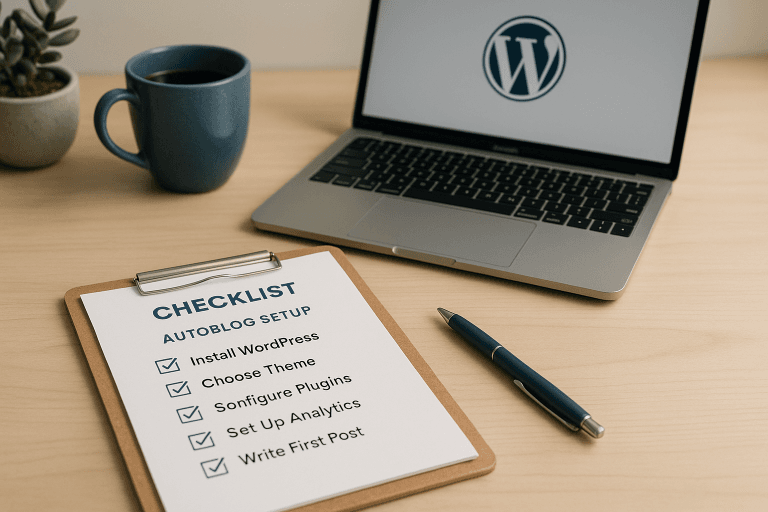
- How to set up a WordPress autoblog without turning your site into a content dump
- Tools, plugins, and workflows that make it manageable
- WordPress autoblog vs manual publishing: when each approach wins
- What to monitor after launch so the site doesn’t quietly drift into junk
- What a WordPress autoblog should look like if you want it to last
The main thing to understand is that a WordPress autoblog is a publishing system, not a content strategy. It answers the operational question of how posts get created and scheduled. It does not answer whether those posts deserve to exist, rank, or stay indexed after Google takes a proper look at them. (If you’re new to the topic, start with Setting Up a WordPress Autoblog the….)
What a WordPress autoblog actually is, and what it is not
A real WordPress autoblog usually does one of three things: republishes syndicated content from RSS or feeds, creates original articles from prompts or titles, or mixes both inside a workflow. The site owner sets rules, categories, frequency, style, and review behavior. Then the system fills the queue while the owner does something more interesting than copy-pasting headlines into WordPress.
What it is not: a free pass to spam the web with thin pages and call it automation. If your autoblog just scrapes snippets, rewrites them badly, and dumps them into uncategorized archives, you’ve built a liability with a login screen. Search engines have seen that movie before.
The difference between useful automation and junk is mostly control. A sane setup knows where content comes from, how it’s shaped, how often it publishes, and when human review kicks in. A bad setup knows only how to press the gas.
How a WordPress autoblog works behind the scenes
Under the hood, the pipeline is pretty straightforward. A trigger starts the process, the system gets source material or a topic, an editor layer turns that input into a post, then WordPress schedules or publishes it. In more mature setups, there’s also duplicate checking, category assignment, internal linking, SEO field population, and a quality gate that blocks broken output from going live.
The mechanics matter because most autoblogs fail in boring ways. They don’t fail because AI is “bad.” They fail because nobody built the plumbing around the AI. If you let every title publish immediately, don’t control cadence, and never inspect output quality, you’ll eventually create an archive full of mush. WordPress will happily store every bit of it for you. Very polite of it.
Tools like MrNiche Autoblogger Pro handle this sort of background flow automatically with queued generation, scheduling controls, and quality checks so the publishing part doesn’t become one giant fire drill. For a deeper look at that side of it, see WordPress Autoblogging in 2026:….
The basic pipeline
The usual flow starts with input. That input might be an RSS feed item, a title you pasted in bulk, a topic cluster seed, or a keyword pulled from Search Console data. The next stage is generation: an AI model drafts the article body, headings, meta fields, and sometimes FAQs or schema-friendly structure. Then the plugin or workflow pushes the finished post into WordPress as a draft or scheduled post.
Good systems add another step before publication: review. That review can be manual, rule-based, or both. A draft that’s too short, off-topic, duplicate-adjacent, or structurally broken should stay in draft. Auto-publishing everything that clears the API call is how sites drift into garbage without anyone noticing until traffic drops.
After publication comes distribution support. Internal links get added. SEO metadata gets filled. Images get attached. Schema gets output in a way that search engines can actually read instead of hoping a post body parser will do the job for you.
The obsession with publishing speed usually flatters the operator more than the site.
Where the content comes from
The oldest version of an autoblog runs on RSS feeds and content feeds from other sites. That works well for news aggregation, niche monitoring, or sending traffic back to original sources. It’s also the easiest way to end up with a site that looks like ten others doing the same tired thing.
APIs are cleaner when you’re pulling structured data from places like product catalogs, events listings, weather data, jobs boards, or your own database. WordPress and WooCommerce sites usually fit this model better than plain editorial blogs because the content has an underlying record behind it.
AI generation is the newer path. Instead of republishing someone else’s article or summary, the system generates original text from titles, prompts, outlines, or source notes. That’s where plugins like ChatGPT-based workflows, Claude integrations, AI Engine, GetGenie, Bertha AI, or a WordPress autoblog plugin earn their keep. They cut down manual drafting time without making you build every post by hand.
The catch is obvious: if your prompts are sloppy and your quality rules are weak, AI will produce content that sounds fine for about twelve seconds. Then it starts repeating itself.
What a WordPress autoblog is good for — and where it gets you in trouble
A WordPress autoblog works best when the site needs scale around structured topics: product roundups, local listings, programmatic pages with real data inputs, curated news monitors, or topic clusters where one pillar article supports multiple related posts. It also makes sense when publishing cadence matters more than daily craftsmanship, such as affiliate niche sites that need consistent coverage across dozens of related queries.
It gets you in trouble when automation replaces judgment. Search engines don’t care that your system saved time. They care whether the page adds something distinct enough to deserve ranking. If every page reads like it came from the same template with a few nouns swapped out, that’s thin content territory wearing a necktie.
My own view is that “publish more” is usually lazy advice dressed up as strategy.
This is where many site owners overcorrect in the wrong direction. They either refuse automation entirely and burn hours on repetitive drafting, or they automate everything and act surprised when quality slips. The middle ground is usually better: automate the first 70 percent of production and keep human eyes on anything that affects trust, money, or brand.
Why most autoblogs fail the first time they go live
The first failure mode is volume without structure. People want to publish fast but never define categories, subcategories, title patterns, or content types. So every article lands in one pile like a junk drawer someone labeled “SEO.” That makes internal linking harder and topical relevance weaker.
The second failure mode is bad source discipline. If you rely on low-quality feeds or vague prompts, your content inherits that vagueness. AI won’t rescue weak inputs; it usually amplifies them with grammar.
The third failure mode is cadence chaos. A batch of 50 posts going live in two days can look suspicious even before you ask whether any of those pages deserve to rank. A sane WordPress autoblog plugin should let you control daily publishing limits so your queue drips out over time instead of shouting at search engines all at once.
How to set up a WordPress autoblog without turning your site into a content dump
Start with topic boundaries before you touch any plugin settings. Decide what the site covers and what it doesn’t. If you’re building around home coffee gear, don’t let the system wander into restaurant equipment because “kitchen” sounded close enough on Tuesday afternoon.
Then build category architecture that matches search intent, not the way your dashboard happens to be organized. One pillar category with tightly related supporting categories usually works better than ten shallow buckets no human would browse twice. Once that’s in place, decide whether each post type needs its own style: buying guides can be different from news updates, and local service pages should read differently from informational explainers.
You also need review rules. Some posts should publish automatically if they pass quality checks. Others should stay in draft until someone confirms they’re accurate enough to ship. That distinction matters more than people admit because automated publishing feels efficient right up until one bad page creates a support headache or an affiliate compliance problem.
Tools, plugins, and workflows that make it manageable
On the WordPress side, most serious setups end up pairing automation with normal publishing tools rather than replacing them. Yoast SEO or Rank Math can handle metadata once your workflow populates fields cleanly. Elementor may shape landing pages if your site mixes editorial content with more designed layouts. WooCommerce changes the equation entirely if your autoblog supports product-led content instead of plain articles.
On the AI side, ChatGPT and Claude are common generation engines because they’re flexible enough for outlines, rewrites, FAQs, and title expansion. Surfer SEO and Frase can help when you want keyword framing before drafting starts. DALL·E 3 used to be part of this conversation; now image workflows have moved toward OpenAI’s gpt-image family and other providers like Unsplash for real photography when stock images make more sense than synthetic ones.
For automation itself, MrNiche Autoblogger Pro sits in that practical middle zone where scheduling, generation controls, internal linking, schema output, and queue management are handled without making you glue five plugins together and pray they all agree on timestamps.
WordPress autoblog vs manual publishing: when each approach wins
Manual publishing wins when authority matters more than throughput. If you’re writing medical advice, legal content, high-trust B2B analysis, or any page where nuance pays the bills, you probably want humans doing more of the work from start to finish. Manual workflows are also better when your site depends on original reporting, real screenshots, custom testing, or personal expertise that AI can’t fake convincingly for long.
Automation wins when repetition is the real enemy. If you need fifty location pages following one pattern, weekly roundup posts assembled from known sources, or topic coverage across a large keyword set with consistent formatting, an autoblog can save absurd amounts of time. The trick is knowing which parts are repetitive enough to automate and which parts are too sensitive to hand off.
A sensible operator doesn’t treat these as rival camps. The smart setup uses automation for assembly and human judgment for final risk decisions. That’s especially true if money pages are involved.
What to monitor after launch so the site doesn’t quietly drift into junk
Watch publish patterns first. If your queue suddenly floods one category while others go dry, your topical balance is slipping. If headlines keep sounding alike or every intro starts with the same rhythm, your prompts need work.
Then watch indexing and query behavior in Google Search Console. You’re looking for signs that Google understands what the site covers and which pages are actually getting impressions. If pages are being published but never earning impressions after a reasonable period for your niche, that usually means the content plan is too generic or too close to existing pages elsewhere. For a deeper look at that side of it, see AI Publishing Alternatives for….
Also monitor internal links and refresh opportunities. A good autoblog should keep sending older posts fresh related links instead of burying them under newer output forever. If you use AI Content Refresh on existing posts later, keep the revisions controlled so you improve what’s already working rather than rewriting stable pages into something stranger. AI Publishing Tools vs… covers this in more depth.
What a WordPress autoblog should look like if you want it to last
A durable WordPress autoblog looks boring from ten feet away and disciplined up close. It has clear categories, a controlled publishing cadence, duplicate detection, human review where needed, real SEO fields filled in correctly, and internal links that make sense to an actual reader rather than an experiment in keyword adjacency.
The operator who treats review as optional usually ends up paying for it later.
It also has limits. The best autoblogs don’t try to replace editorial judgment; they cut down the manual work needed to get decent content published consistently. That distinction keeps you from building a site that grows fast on paper and then slowly corrodes under its own output.
If you want one practical next step this week, pick one niche page type on your site — preferably a repeatable one like a roundup or supporting article, and map out exactly what should be automated versus manually reviewed before you touch any plugin settings for your WordPress autoblog.